

In an era where our phones are essential to daily life, unwanted calls, spam messages, and potential security threats can be both annoying and dangerous. These issues don’t just disrupt your day; they can also compromise your privacy and expose you to identity theft. Fortunately, there are practical steps you can take to regain control. This guide will explore the various ways you can block spam calls, protect your personal information, and ensure that your phone usage remains safe and enjoyable.
The Growing Threat of Spam Calls and Messages
Spam calls and messages are on the rise, with billions of unwanted interactions reported each year. These unsolicited calls often come from telemarketers, robocallers, or even scam artists trying to extract sensitive information or trick you into making financial transactions. Similarly, spam text messages can contain phishing links designed to infect your phone with malware or steal your personal details.
The good news is that you don’t have to feel powerless. By understanding how spam infiltrates your life and adopting the right strategies to block it, you can keep your phone—and your data—safe.
Why Are Spam Calls and Texts a Big Deal?
Spam communications aren’t just annoying; they pose significant risks:
- Identity Theft: Scammers often impersonate legitimate institutions to extract personal information, like Social Security numbers or bank details.
- Fraud: Phone scams trick people into transferring money or purchasing fake services.
- Privacy Invasion: Telemarketers who obtain your phone number without consent can continuously bombard you with unwanted calls.
The good news is that you can take action to stop these intrusions. Here’s how.
How to Block Spam Calls and Messages on Your Phone
Blocking spam isn’t just about ignoring calls from unknown numbers. Modern technology gives you several ways to manage who can and cannot reach you.
1. Use Your Phone’s Built-in Blocking Features
Most smartphones come equipped with tools to block unwanted numbers. Here’s how you can use them:
- iPhone Users: Go to your Phone app, find the recent call from the spam number, and tap the “i” icon. From there, select “Block this Caller.” You can also use the “Silence Unknown Callers” feature to send calls from unfamiliar numbers directly to voicemail.
- Android Users: The process is similar. Open the Phone app, tap on the recent call, and choose “Block/report spam.” You can also enable the built-in spam protection feature found in the Phone app settings.
These features work well for blocking specific numbers but may not catch every unwanted call, especially from robocallers who frequently change their numbers.
2. Install a Call Blocking App
Dedicated call-blocking apps can significantly reduce the number of spam calls you receive. These apps use massive databases of known spam numbers to identify and block suspicious calls before they even reach you. Here are some popular options:
- YouMail: YouMail is a powerful tool that not only blocks spam calls but also offers personalized voicemail greetings, robocall protection, and even a visual voicemail feature that transcribes your messages. It identifies and automatically blocks known scammers and lets you block entire area codes, significantly reducing the chance of getting spammed.
- Hullomail: Hullomail identifies calls from suspicious numbers and automatically blocks spam. It’s a popular choice for its simplicity and efficiency.
- Another Number: Another Number extensive caller ID and spam-blocking features help keep your phone safe from unwanted calls and texts.
3. Register on the Do Not Call List
The National Do Not Call Registry, managed by the Federal Trade Commission (FTC), allows you to add your phone number to a list that telemarketers are legally prohibited from calling. While this won’t stop every spam call (as scammers often ignore the rules), it can reduce the volume of legitimate marketing calls.
To register, simply visit the Do Not Call Registry website or call 1-888-382-1222 from the number you want to add.
How to Protect Your Personal Information
While blocking spam calls and texts is a crucial step, safeguarding your personal information requires a proactive approach. Here are some strategies to consider.
1. Avoid Sharing Your Phone Number Unnecessarily
Whenever possible, avoid giving out your phone number, especially to unfamiliar websites, apps, or companies. Consider using an alternate phone number or a temporary number service if you need to share your contact information.
2. Be Cautious of Links in Text Messages
Phishing scams often arrive via text message. These messages may appear to come from trusted companies like your bank or a package delivery service, but they often contain malicious links. If you receive a text from an unknown sender with a link, do not click on it. Instead, verify the sender by contacting the company directly through a known phone number or website.
3. Use Multi-Factor Authentication (MFA)
Whenever possible, enable multi-factor authentication for your accounts. This adds an extra layer of security by requiring a secondary verification method—like a code sent to your phone—when logging into your accounts. Even if a scammer gets hold of your password, MFA can stop them from accessing your information.
Taking Privacy to the Next Level: Advanced Tools for Security
For those who want to go above and beyond in protecting their personal data, there are additional tools and services available.
1. Virtual Private Networks (VPNs)
A VPN can hide your internet traffic from potential eavesdroppers by encrypting your connection and masking your IP address. This is especially useful when using public Wi-Fi networks, which are often targeted by hackers.
2. Privacy-Focused Voicemail Services
Standard voicemail services are often vulnerable to spam, with robocallers frequently leaving unsolicited messages. Privacy-focused voicemail services like YouMail can help by filtering out unwanted messages and providing enhanced spam detection. YouMail’s premium features even offer a Privacy Guard that identifies breaches and advises users on steps to secure their data.
3. Dark Web Monitoring
Dark web monitoring services alert you if your personal information (such as your email address, phone number, or other sensitive data) is found on the dark web. YouMail’s privacy scan provides a free tool to check if your information has been compromised, empowering you to take action to secure your accounts.
Combating Robocalls: What Are They and How to Stop Them?
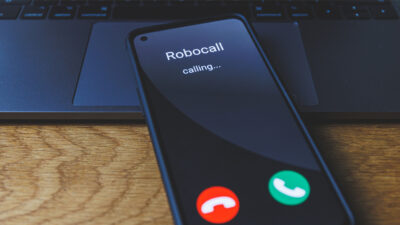
Robocalls are automated calls made using autodialers. They are often used for legitimate purposes like appointment reminders, but many are spam or scam-related. Here are steps you can take to stop robocalls:
1. Use a Call-Blocking App with Robocall Protection
Apps like YouMail and Hiya offer specialized robocall protection, identifying known robocallers and blocking them before they can reach you. With YouMail, you can even set up an “out of service” message that plays to robocallers, tricking them into thinking your number is disconnected.
2. Report Robocalls to Authorities
Reporting robocalls to the FTC helps authorities track and take action against illegal callers. When you receive a robocall, report it at FTC’s official website.
3. Avoid Interacting with Robocalls
If you accidentally answer a robocall, don’t interact with the prompts (e.g., “Press 1 to speak to a representative”). This can signal to the caller that your number is active, leading to more unwanted calls. Hang up immediately and block the number.
The Role of Artificial Intelligence in Spam Detection
AI has become an essential tool in identifying spam and protecting users from potential threats. YouMail leverages AI technology to analyze call patterns and detect spam numbers in real-time, offering a dynamic defense against the evolving tactics of scammers. This technology allows for rapid updates to the database of blocked numbers, providing users with up-to-the-minute protection.
Why Choose YouMail for Ultimate Call and Privacy Protection?
YouMail stands out not only for its ability to block spam calls and detect robocalls but also for offering a suite of features designed to protect your privacy. With personalized voicemail, advanced call management options, and the ability to identify security threats through dark web monitoring, YouMail ensures that your phone is truly yours to control.
For those serious about safeguarding their information and enhancing their phone experience, YouMail provides a comprehensive solution to block unwanted communications, protect your info, and even boost productivity with features like voicemail transcription and auto-reply.
Conclusion
Your phone is an extension of your personal space, and you have the right to control who can contact you. By using built-in blocking features, call-blocking apps like YouMail, and adopting additional privacy measures, you can protect yourself from the growing threats of spam calls, robocalls, and data breaches.
Make your phone work for you, not for spammers—your phone, your rules.
For more tips on keeping your phone safe and reclaiming your privacy, visit YouMail.