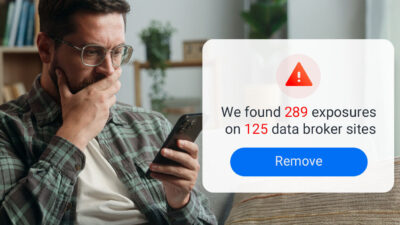


In today’s hyper-connected world, your personal information is more vulnerable than ever. From data breaches to shady broker sites, your private details—like your email address, phone number, or even financial information—could end up for sale online without your consent. Knowing how to check if your information has been compromised is the first step to taking back control of your digital privacy.
Here’s a practical guide to help you identify if your personal information is being sold online and what you can do about it.
1. Run a Simple Google Search
Start with a basic search using quotation marks around your personal details, such as:
- Your email address: “[email protected]”
- Your full name: “John Doe”
- Your phone number: “123-456-7890”
This method can reveal if your information appears on forums, questionable websites, or public directories. If you find anything concerning, document the evidence by taking screenshots and noting the URLs for follow-up.
2. Use Data Breach Lookup Tools
Several trusted tools can help you uncover whether your information has been exposed in known data breaches:
- Have I Been Pwned: A free tool to check if your email or passwords have been part of a breach.
- DeHashed: A more comprehensive search tool for emails, phone numbers, and usernames.
- YouMail Reverse Phone Lookup: A free phone number lookup service that helps identify if your phone number is flagged in spam or scam databases.
These tools provide a quick way to understand the scope of your data exposure.
3. Monitor Financial and Credit Activity
Your financial details are a top target for cybercriminals. Regularly monitoring your credit and financial activity can alert you to signs of fraud. Here’s how:
- Credit Reports: Use AnnualCreditReport.com for free yearly access to your credit reports.
- Bank Statements: Review for unauthorized transactions.
- Fraud Alerts: Place alerts with major credit bureaus to add an extra layer of security.
4. Check the Dark Web
Personal information is often sold on the dark web. While it’s not advisable to explore these marketplaces directly, dark web monitoring services can help. Many identity protection services and credit monitoring tools now include dark web scans to alert you if your information has been compromised.
5. Use YouMail Privacy Scan to Protect Your Information
One of the most effective tools to protect your personal information is YouMail’s Privacy Scan. This premium feature identifies and removes your data from broker sites where it may be exposed.
Here’s how Privacy Scan works:
- Start a Scan: Access the feature from your YouMail dashboard. Enter your details (name, age, city, state) and click “Run Free Scan” to search online directories for your information.
- Review Results: After the scan, view a list of data broker sites where your personal information is exposed.
- Initiate Removal: Select “Remove All Info” to start removing your data. While removals take 3-45 days, progress is tracked in your dashboard.
- Follow Up If Needed: For some sites, additional steps may be required to complete the removal. You’ll find clear instructions for any actions necessary.
- Ongoing Protection: Privacy Scan automatically checks for new exposures every 45 days and removes them proactively.
Using Privacy Scan not only clears existing data but also ensures continuous protection. For more details and to get started, visit the Privacy Scan dashboard.
6. Recognize Signs of Identity Theft
Even if you don’t immediately find your information online, certain warning signs can indicate your data is being misused:
- Unauthorized transactions in your accounts
- A sudden influx of spam calls or phishing emails
- Unfamiliar accounts appearing on your credit report
If you notice any of these red flags, act quickly to secure your accounts and report suspicious activity to the authorities.
7. Take Preventative Measures
To avoid future exposure of your personal information:
- Use strong, unique passwords and enable two-factor authentication (2FA).
- Regularly monitor your credit and financial accounts.
- Limit the personal details you share online, especially on social media.
- Avoid clicking suspicious links in emails, texts, or pop-ups.
Take Control of Your Online Privacy
Your personal information is invaluable, but you don’t have to feel powerless. Whether it’s through simple tools like Google searches or advanced features like YouMail’s Privacy Scan, you can take meaningful steps to safeguard your data.
Start protecting your digital identity today by leveraging tools like YouMail Privacy Scan to remove your data from broker sites and keep it out of the wrong hands. Together with regular vigilance, these measures can help you reclaim control of your online presence.