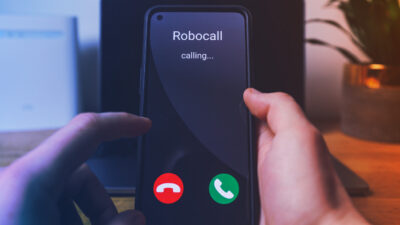


Spam calls and scam messages are constantly changing numbers and tactics. Even the best protection can miss something once in a while.
Now, YouMail makes it easy to report spam in seconds using a simple screenshot.
If a spam call, text message, or even an email with a suspicious phone number slips through, you can help stop it in seconds. Simply take a screenshot and share it with YouMail.
This works for missed spam calls, scam texts, and even emails that include phone numbers designed to trick you into calling back. Just screenshot what you see and share it with YouMail. It works just like sharing a photo through Messages or Mail, and we’ll take it from there.
Your reports help block new spam faster and keep your phone better protected.
Why screenshot reporting matters
Spammers rotate numbers quickly to avoid detection. When you share what gets through, YouMail can:
- Identify new spam numbers faster
- Improve blocking for you and the entire YouMail community
- Stop repeat scams before they spread
Every screenshot helps strengthen protection.
How to report spam with a screenshot
Reporting spam works just like sharing a photo on your phone.
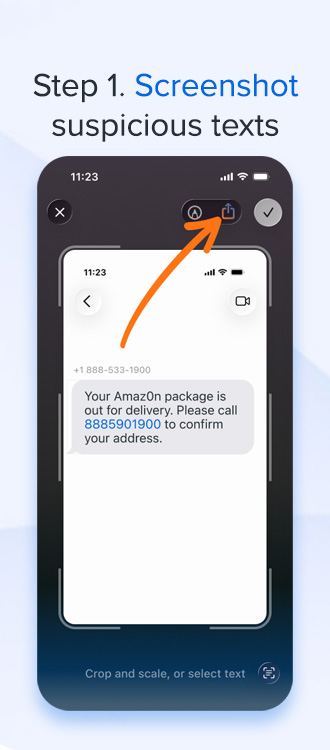
Step 1: Screenshot the Spam
Take a screenshot of the spam call, text message, or email that includes the suspicious phone number.
Make sure the number is visible for best results.
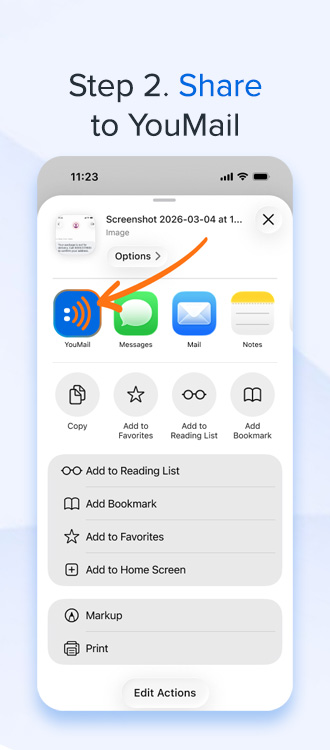
Step 2: Share to YouMail
Open your phone’s Share menu and select YouMail from the list of apps.
It works just like sharing a photo through Messages or Mail.
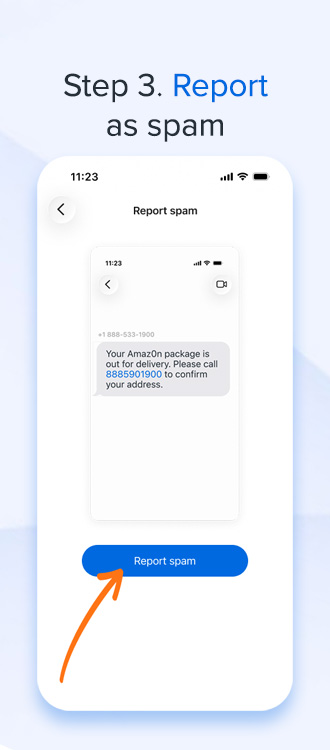
Step 3: Report as spam
In the YouMail app, tap Report spam to confirm your submission.
That’s it.
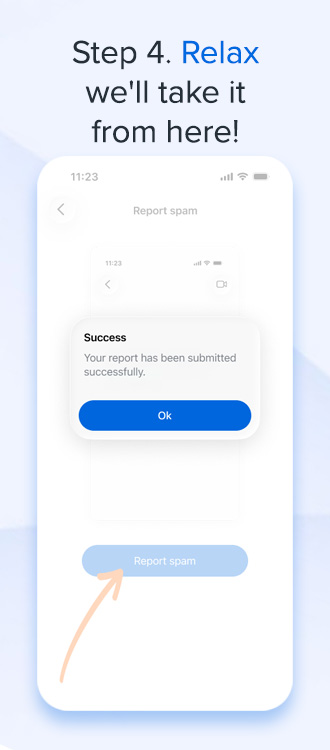
Step 4: Relax
Your report is sent and YouMail gets to work blocking new spam numbers and improving protection.
What you can report
You can share screenshots of:
- Spam calls
- Spam text messages
- Emails that include suspicious phone numbers
If it has a phone number tied to spam or scams, YouMail can use it to improve protection.
Stronger protection starts with you
When you screenshot and report spam, you are helping:
- Stop future scam attempts
- Protect your own phone
- Protect millions of YouMail users
It only takes a few seconds and makes a real difference.
See spam? Screenshot it. Share it with YouMail. We’ll handle the rest.
If you have YouMail installed, try it the next time something slips through and help keep spam off your phone for good.