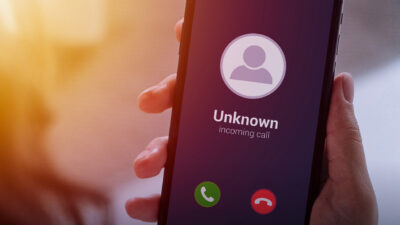

The iOS 26 update introduces a new feature called Apple Call Screening, which promises to protect you from unwanted calls by asking unknown callers to identify themselves before you decide whether to pick up.
At first, it sounds like a breakthrough. A phone that handles spam for you? Perfect. But in reality, Apple Call Screening is far from smart: it’s clunky, inconvenient, and ultimately still makes you do most of the work. By contrast, YouMail’s Smart Call Screening quietly filters out known bad calls before they even hit your phone. More on that in a moment.
Think of Apple Call Screening like Tesla’s early “Summon” mode. You press a button on your app, and the car slowly creeps toward you while you stand nearby holding your finger down. It moves, yes, but only because you told it to. Compare that to “Actually Smart” Summon, where the car navigates the parking lot on its own to pick you up wherever you are. One is a fun party trick. The other is genuinely intelligent.
That same gap, between something that looks smart and something that is smart, is exactly what’s happening with Apple Call Screening.
Apple’s “Not-So-Smart” Call Screening Feature
Apple Call Screening sounds impressive on paper. When a number not in your contacts calls, the system asks who they are and why they’re calling. You then receive a live transcription and can decide whether to answer.
But that process comes with tradeoffs.
- You still have to stop what you’re doing, grab your phone, and read through text.
- Many callers hang up before they finish, creating confusion.
- You lose time deciphering legitimate calls from spam.
So while Apple Calling Screening reduces the volume of interruptions, it doesn’t eliminate them. It’s a “Not-So-Smart Call Screening” feature that looks sleek but leaves you doing the heavy lifting.
Even worse, if you’re already using YouMail, Apple Call Screening interferes with YouMail’s protection. It can block YouMail’s ability to identify and stop spam calls before they reach you. If you’re on iOS 26, the fix is simple:
iPhone Settings → Apps → Phone → Screen Unknown Callers → Set to “Never”
That small adjustment ensures YouMail can continue doing what it does best: keeping spammers, scammers, and robocalls far away from your phone.
What “Actually Smart” Call Screening Looks Like
At YouMail, we built Smart Call Screening to solve this problem the right way. It filters calls intelligently, using AI and real data from billions of calls to decide who should get through and who shouldn’t.
Here’s how it works:
- Known bad guys are blocked before your phone ever rings.
- Known good callers (like your pharmacy, doctor, or delivery driver) get through automatically.
- Everyone else has to prove they’re human by pressing a button and saying their name.
That’s “actually smart.” You don’t have to lift a finger. You don’t have to guess. You simply get the calls you want and none of the ones you don’t.
Why It Matters
YouMail’s Smart Call Screening will save you time, not take it. It will protect you quietly in the background, not make you read transcriptions or tap through alerts.
Apple Call Screening is clever, but clever isn’t the same as intelligent.
If you want real protection, one that knows when to let calls through and when to block them, you need YouMail’s Smart Call Screening.
Download YouMail Plus today and let smart call screening do the work for you.